Showing posts with label News. Show all posts

Monday, May 20, 2013

Torch: Download your torrent files within the browser

Torch: a Chromium based browser
From the ocean of piracy, we draw so many files everyday for various purposes. But after selecting the torrent file it is not easy as downloading a meta-link through any download manager. Hence it requires a torrent client to be satisfied. Every time you use public computers it is not allowed to install clients over there.
This post will surely make you happy after finishing it up.
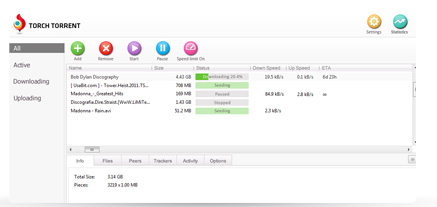
There is chromium based browser named as Torch. Available free as it is  a open source project. Torch  itself is a custom made unique flavored browser which enables torrent client within its body (Go to the screenshot). Features available in Torch
  • Power user of torrent client
  • Captures online streaming (Music & Video files)
  • Receives both magnet link as well as .torrent files
  • The downloading interface is quite friendly
  • Advanced tweaks can be manipulated as changing the priority level of files, no. of connection
  • The speed is as good as u torrent
  • Supports all the chrome extensions
All purpose browser which can be used both as torrent client & an advanced browser. Supports all the features which are been supported by Google Chrome. But one need to start up the browser which is not an issue for general torrent client.

Get your torch browser here. You can download it from an offline installer also here

Tuesday, April 30, 2013

Get all the minute to minute update from piratebay.se


We all search for anything new everyday, or getting updated of anything usual before. Hence waste much more time having searching them & at last there few times remain for read out them & almost no time in hand to capture them.
 Here Feedly the very good alternative to Google Reader will help us out by feeding us every update from the most popular & most pirated torrent site known as piratebay.se; as this torrent site has been declared as serving the most piracy than any other torrent sites till 2012.
  • First get the feedly app in browser which most preferred by you as it is all available for the famous browsers
  • The only thing you have to do is type exactly "thepiratebay" in the search box of feedly app
  • And then subscribe it
  • Everytime you get on to the internet stream check the updates that which files have been recently uploaded

No way you will suffice your eye that much of updation ..have fun friends ...be busy..

Monday, April 15, 2013

torrentHound.com updates the all new advanced interface with Magnet link feature

torrentHound.com adds magnet link 
As we people are doing sins every-time connecting to the network as a part of piracy deeds. Any thing we go for searching it will be the torrents which gonna provide us as a must. Here I'm talking about the most popular torrent site torrentHound.com which is somehow lagging behind piratebay & kat in the contents. But the seed ratio is always high as we know but the very feature we were missing with the magnet link availability. 

But the issue is closed by today that it facilitates both magnet link & .torrent files at the same line along with the seed & leech count. 

People must know which one to prefer whether it is a magnet link or .torrent file. I will explain very shortly that if you require the file immediately as per your necessity & connection speed always prefer magnet link. But if the file size is too large that it will not be completed at once then choose the .torrent file as it keeps the tracker & data information quite good. Also you can transfer your files along with the .torrent file to resume it in another device which is not possible in magnet links. If the file size so large then every time you reconnect it will take longer time for the checking the older downloaded files in case of magnet links while it will take fewer secs in .torrent files support.

Choose wisely and enjoy piracy :)

Tuesday, April 9, 2013

Upgrade Ubuntu 12.10 to 13.04 easy way


If you want to upgrade, not install a fresh system off of a DVD or USB device, you can use this method suggested on the #ubuntu+1 IRC channel:
  • sudo sed -i 's/quantal/raring/' /etc/apt/sources.list
  • sudo apt-get update
  • sudo apt-get dist-upgrade
The easiest way to update from 12.10 to 13.04, just open the terminal and type this:
  • sudo do-release-upgrade -d
Ubuntu 13.04 is in beta for now. Hence it is still recommended to go through your own risk.

Wednesday, April 3, 2013

VLC for windows 8 soon to be in action

VLC for Win8
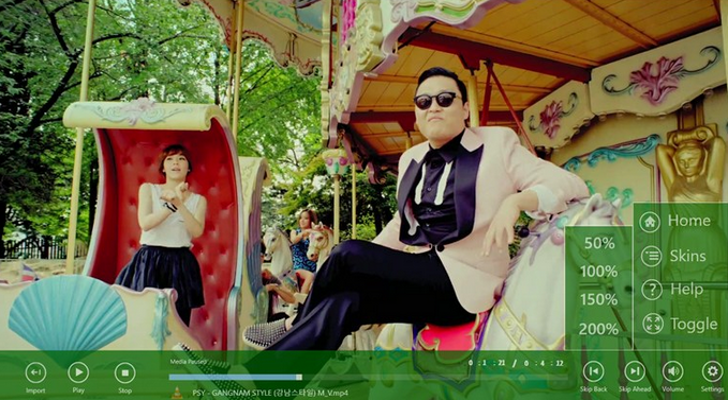
Today the team bringing VLC Player to Windows 8 – via the Windows Store so that it will run on Windows RT devices - updated their financial backers as to their progress. When the VLC group set out to Kickstarter to raise 40,000 quid to build the ‘Metro’ version of their video playing software, it attracted the sum with nearly a week to spare, with over 3,000 folks chipping in to fund the project. The stated goal was simple: take its “existing code, which already works on Windows 8′s ‘desktop mode’, and make it run on WinRT, the ‘Metro’ interface.”
Surface view

There's both good news and bad. They've managed to cut down 90% of what's "forbidden" in the modern user interface, working closely with Mingw-w64 project and GCC developers. They managed to achieve this by:

  • replacing our forbidden calls with newer authorized equivalent calls,
  • modifying gcc and Mingw-w64,
  • writing new code in a special library of ours,
  • writing dummy functions,
  • disabling VLC code that would not work on the Metro platform,
  • moving VLC to MSVCRT 11.0, moving all the VLC codebase to UNICODE and WideChars to fit the new requirements.
  • We did also a lot of minor things to help the integration of libVLC and VLC in this modern platform


It's so close we can almost taste it. The team reports that they're working on the following objectives:
  • make VLC work with MSVCRT 11.0 without crashing
  • write headers and C/C++ code to access the new fashion of COM APIs in which WinRT is written in

Monday, April 1, 2013

Game of Thrones S03E01 720p : After all it's been started

GOT Season 3 on kat.ph
The most awaited season has been updated in the torrent section today. May be it is a big file but worth of its availability. Its a notification to you all to get the season as quick as possible. Still it is not available in greater torrent sites like bitsnoop.com or torrenthound.com, as kat.ph will help us. And here is your link
Follow any of the procedure but get it immediately. 

Sunday, March 31, 2013

Microsoft Toolkit 2.4.2 released

An official torrent released today for activation of both windows 8 & Office 2013. Here it will solve the activation duty both of the Microsoft product. Office will be activated for 180 days while you can reset it again by patching it after expiry. The Windows 8 Pro with media center will also be activated by this version. 
Here is the magnet link from bitsnoop.com carrying 290 peers.
  • May you directly paste it in your torrent client
  • Otherwise proceed to put.io, after logging in paste the link & get a metalink by which you can use your download manager

Thursday, March 28, 2013

Complete Greek Gods family tree with flash support

This post is exclusively for the people who are much interested in Greek myths, Gods & Goddesses, Creatures, Beasts, Nymphs, etc. We are highly confused with family tree of Greek gods and their details. Hence I have gone through and hopefully found a good site with flash enabled structures. Here we can go through flexibility & better convenient way to discover all of the relation among the characters. Go through the screenshots & here is your present http://www.webexhibits.org/greekgods/


It is recommended to open with Google chrome as other browsers do not have an in-built flash support. 

Gnome 3.8 released

Gnome 3.8 released
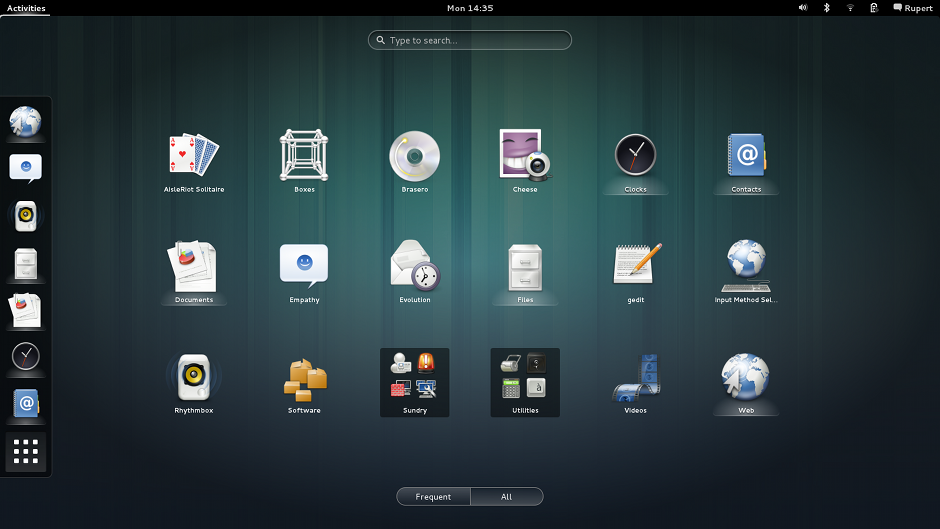
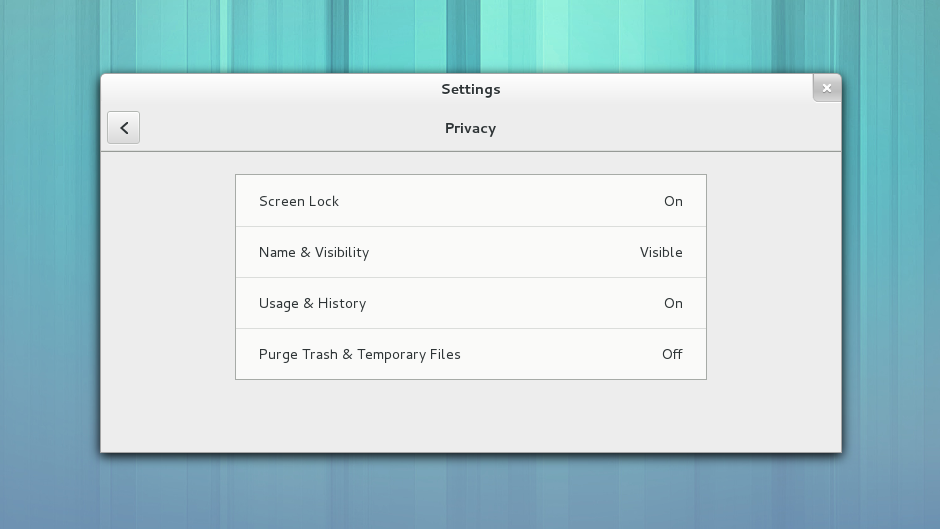
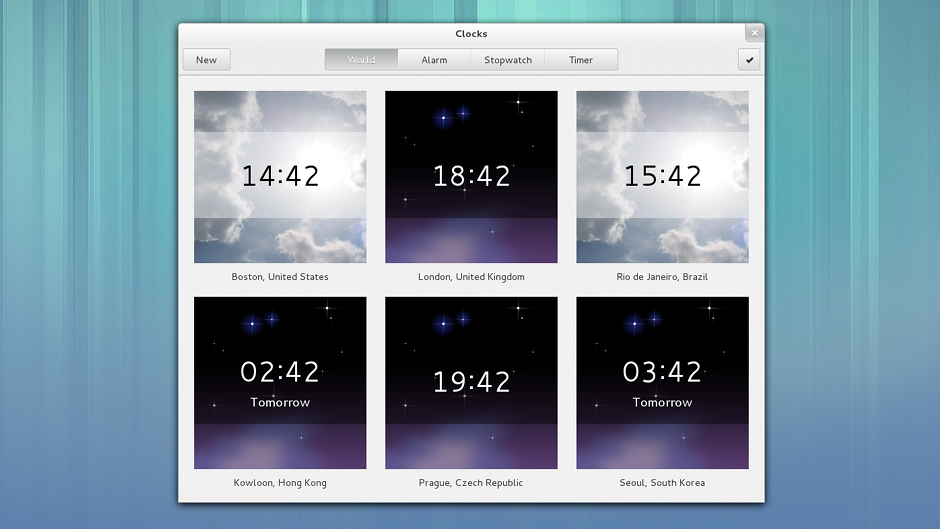
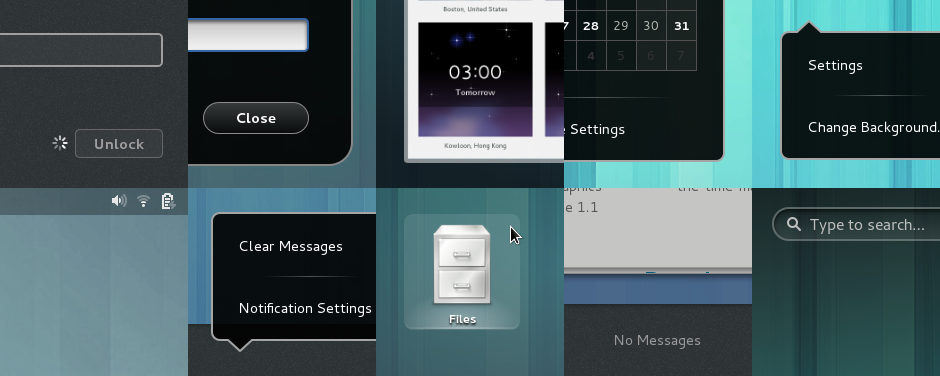
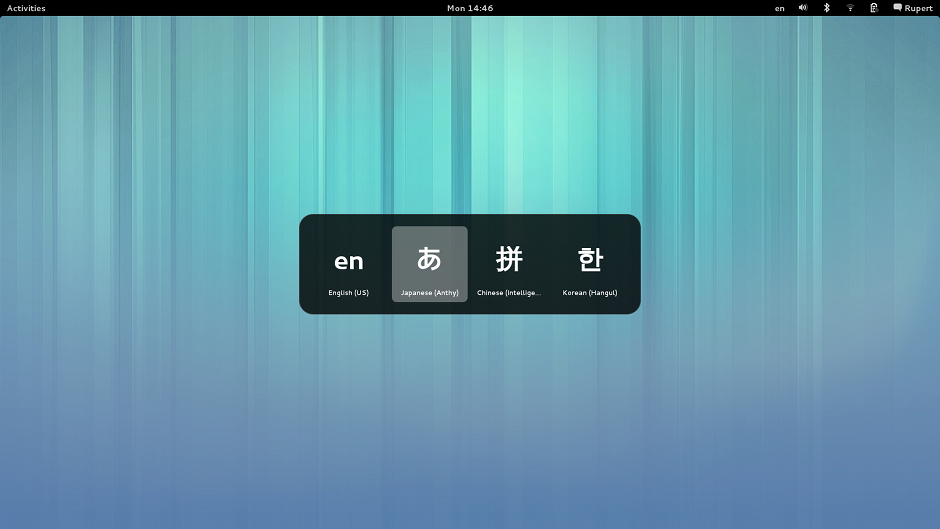
Finally it is not ever stopping the major updates of any Linux platforms. Here the most favourite Gnome is upgraded to 3.8 with great new features. You will be happy with these features:
  • New Settings Panes for Privacy & Notification
  • New ‘GNOME Classic’ mode
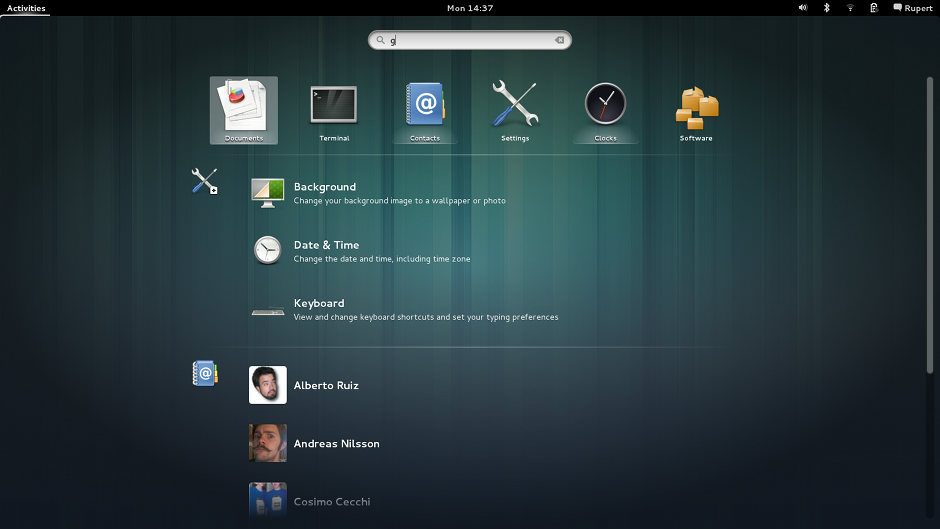
  • Revamped Search features in Activities Overview
  • New App Launching
  • Improved default apps
  • Two new ‘Preview’ Apps – Weather and Notes
Only bad news for now is that it will be easy get 3.8 immidiately. I asked Satya last night & it is going to be work best with Ubuntu 13.04 not in 12.10. Though official release is tied up with Gnome 3.6 we can use it anyhow seamlessly. 
Application Launching 

Search

Privacy & sharing
Clocks
Improved Animation Rendering
Classic mode

Details: GNOME 3.8 includes a huge number of smaller bug fixes and enhancements. Many details have been addressed to give a more polished experience, including new animated transitions, improved visuals and usability fixes. Many of these improvements were made as a part of the Every Detail Matters initiative, which fixed nearly 60 bugs during the 3.8 development cycle

Input methods 
Here all above I provided only screenshots as people used to Gnome will get it instantly, but for all in details go to the official release site

Feedly updates to 14.0.470 with better features

Feedly 14.0.470
First of all I want to clear something that people are been confused whether any difference between feedly & feedly plus. Here they are all same with their features while the former one is an app & later an extension. Today Feedly updates with greater features. That people all over are suggesting in a better way to improve feedly as possible as exemptive while the Google reader shutdown is painful. 

New in version 14.0.470
★ A new left selector design. Less loud - more more all caps.
★ Better read/unread contrast
★ Sort alphabetically
★ Denser, cleaner list view
★ n/p keyboard shortcuts.
★ fast view switching
★ faster saving. 
★ better LinkedIn integration.
★ Better recommendations.
☂ memory optimization

Feedly introduces Normandy: a seamless transition from Google Reader to a new feedly back end infrastructure. Install feedly before July 1st and keep your feeds.

Feedly combines the visual appeal of a magazine with the efficiency and convenience of an RSS reader. The result is a powerful tool which allows you to organize, read and share the information which helps you stay current and creative in your life.

Feedly syncs with Google Reader. When you read an article in feedly, it is marked as read in Google Reader. When you save an article in feedly, it is starred in google reader. When you add a source in feedly, it is added to Google Reader.

When you find an article you like, you can easily share it on Twitter, LinkedIn or Evernote. Directly or via the Buffer app.

Feedly is also available on iOS and Android phones and tablets and syncs seamlessly through the clouds:
https://market.android.com/details?id=com.devhd.feedly
http://itunes.apple.com/us/app/feedly/id396069556
http://www.amazon.com/DevHD-Feedly-Your-News-Deck/dp/B0050DZN4K


Wednesday, March 27, 2013

How to forge ensures OpenSUSE 12.3 as a complete replacement for Windows


openSUSE 12.3 was released on Wednesday, March 13, 2013. As per the latest release, this brings the best of Free Software in the familiar openSUSE package: stable and complete.

12.3 can be downloaded from software.opensuse.org. Also available is a German 12.3 boxed retail edition. The retail edition boasts a complete printed user manual, physical installation media, and includes exciting money-off vouchers. 
You can set up an OpenSUSE 12.3 desktop that is a full-fledged replacement for a Windows desktop, i.e. that has all the software that people need to do the things they do on their Windows desktops. The advantages are clear: you get a secure system without DRM restrictions that works even on old hardware, and the best thing is: all software comes free of charge.


Monday, February 18, 2013

Hola: Unblock very popular websites + Peer to Peer accelaration


Hola is building an overlay peer to peer network which will change the way the Internet works. Our ultimate goal is to make the Internet 10x faster!

Hola accelerates the web using a combination of technologies - caching, multiple sources, compression, P2P protocols and more. Hola also creates a special local cache with the Hola client (your Android phone or Windows PC) so when you reload content (like a YouTube movie) it doesn't come from the web again, but from the local Hola cache.

For initial Hola users, the Internet will be fast, but as more people install Hola, the web will get even faster. Faster browsing. Faster Video -- While the load on the core network will decrease.

Another nice side effect of the Hola technology is that it provides various levels of anonymity, that ultimately will enable you to view any content from anywhere. This means that you can watch your local content even when travelling abroad. Currently Hola does this for a limited set of sites (see the Hola Unblocker for more information), with more coming every week.
Hola is FREE
Currently Hola run on these operating systems
Hola is available on the following platforms:
A download for Windows (7, XP, Vista - Win8 coming soon) - for Internet acceleration and unblocking of sites
An app for Android - for Internet acceleration. The unblocking feature is now in Beta for Android! (Only a few sites currently unblocked, more soon!)
A Chrome extension - for unblocking ONLY. Runs on all operating systems that run Chrome version 22 and up, except mobile.
A Firefox extension - for unblocking ONLY. Runs on all operating systems that run Firefox version 12 and up, except mobile.
Hola does not yet support Windows8, Windows Mobile, and Apple operating systems. Try our Unblocker Chrome extension or our Unblocker Firefox extension for these.


HOLA UNBLOCKER
Content services (music, video) often require that you be a resident of a certain country to use them, and attempt to enforce this with geographical blocking according to your device's IP. This can be frustrating for a registered user of a service that happens to be travelling outside his or her country of residence. 

In the TV world, solutions for this problem included SlingBox, which enabled you to see your TV while abroad. For the Internet - there is Hola. 

The Hola Unblocker enables you to see your local content from anywhere in the world -- available as a Chrome/Firefox extension or as a Windows client install that works with any browser. Please note that Hola does not relieve you from reading and complying with the terms of use of each of the services that you are using.

If your Government or corporation is censoring you from using a site like Facebook, Google, Twitter, etc., you can use the Hola unblocker client for Windows to avoid this censorship and freely use these sites.
Use the Hola Unblocker (Go to the official site on the above)
The Hola Unblocker comes with the Hola client for Windows, or can be installed as a stand alone Chrome or Firefox extension.
Hola Unblocker extension for Chrome or Firefox browsers:
Install the Hola Unblocker extension, and watch all supported sites. (click the Hola icon on your browser to see the sites available, or to disable the extension). Works on Chrome version 22 and up or Firefox version 12 and up. Does not include the Hola Web Accelerator and the Hola Firewall Unblocker.
Hola client for Windows:
Install Hola for Windows, then hover over the Hola tray icon and choose Hola Unblocker. This will open the Hola Unblocker page in your default browser, allowing you to select the websites you wish to access. Select the checkbox for the site, then click the link. The Hola client for Windows works with any browser, includes the Hola Web Accelerator and includes the "Hola Firewall Unblocker" which lets you avoid government or corporate blocking (censoring) of sites.
Hola client for Android:
Install Hola for Android, then open the app and click on the Orange guy to start. Click on "Hola Unblocker" and choose the site to unblock. Note that many services (such as Pandora) require you to have their app installed to use the service. When you are travellig in a country where this service is not available, you will not be able to find the app on the Play store, so you will need to search Google for the application's APK (e.g. google "Pandora APK") and install it (just download it and press install).
How do I use the Hola Firewall Unblocker?
The Hola Firewall Unblocker comes with the Hola client for Windows and the Hola client for Android, and is used to view content that is blocked by government or corporate firewalls:
Install the Hola Client for Windows or the Hola Client for Android
Select the Unblocker (Windows - Hover over the Hola tray icon and choose Hola Unblocker, Android - press 'unblocker' and then 'settings' on the Hola page.
This will open the Hola Unblocker page in your default browser. On the bottom part of the page you will see the "Firewall Unblocker" portion.
Select the checkbox for the site you need to unblock, then access that site freely!
NOTE: The Hola Windows and Android unblocker clients work with any browser. They also includes the Hola Web Accelerator and the Hola Unblocker.
Which sites does the Hola Unblocker unblock?
Hola currently unblocks only a selected list of sites, with many more coming soon. 

Hola lets Americans that are travelling abroad access their Hulu, Netflix, Pandora, cbs.com and fox.com - from anywhere in the world. Hola lets UK citizens that are travelling abroad access their BBC.co.uk/iplayer and ITV.com/itvplayer. For a complete updated list of unblocked sites, install the Hola browser extension and press the Hola icon on your browser, or install the client and hover over the tray icon and choose 'unblocker'.

The Hola client for Windows unblocks all these sites for travellers, PLUS the following: aetv.com, channel4.com, play.google.com, syfy.com, travelchannel.com, usanetwork.com, youtube.com and more. 


Saturday, February 16, 2013

Ubuntu 12.04.2 LTS released

Ubuntu 12.04.2 LTS
Colin Watson has announced the release of Ubuntu 12.04.2, the latest update of the distribution's current long-term support version: "The Ubuntu team is pleased to announce the release of Ubuntu 12.04.2 LTS (Long-Term Support) for its Desktop, Server, Cloud, and Core products, as well as other flavours of Ubuntu with long-term support. 

To help support a broader range of hardware, the 12.04.2 release adds an updated kernel and X stack for new installations on x86 architectures, and matches the ability of 12.10 to install on systems using UEFI firmware with Secure Boot enabled.

As usual, this point release includes many updates, and updated installation media has been provided so that fewer updates will need to be downloaded after installation.


Kubuntu 12.04.2 LTS, Edubuntu 12.04.2 LTS, Xubuntu 12.04.2 LTS, Mythbuntu 12.04.2 LTS, and Ubuntu Studio 12.04.2 LTS are also now available. For some of these, more details can be found in their announcements:


Celebration SALE: Steam for Linux upto 80% discount

Steam for Linux 

Valve’s Steam for Linux client is now available to install on Ubuntu directly from the Ubuntu Software Center. The app, which has been in various beta stages since November 2012, is available on both Ubuntu 12.04 LTS and Ubuntu 12.10 on either 32bit or 64bit installs.

Although the client itself can be installed (and uninstalled) from within the Ubuntu Software Center all future updates to the app will be handled by the Steam client’s built-in updater, linked to the official Steam for Linux repository.

Up to 80% Off Sale

  • To mark the release, gamers can save between 50-80% off the price of every Steam Linux title – of which there are over 50 to choose from – until Thursday February 21st.
  • Don’t forget to join the OMG! Ubuntu! group on Steam to meet fellow Linux gamers, share gaming tips, and take part in custom group games.
You'll find a complete list of games available in this Steam for Linux sale @http://store.steampowered.com/sale/linux_release/